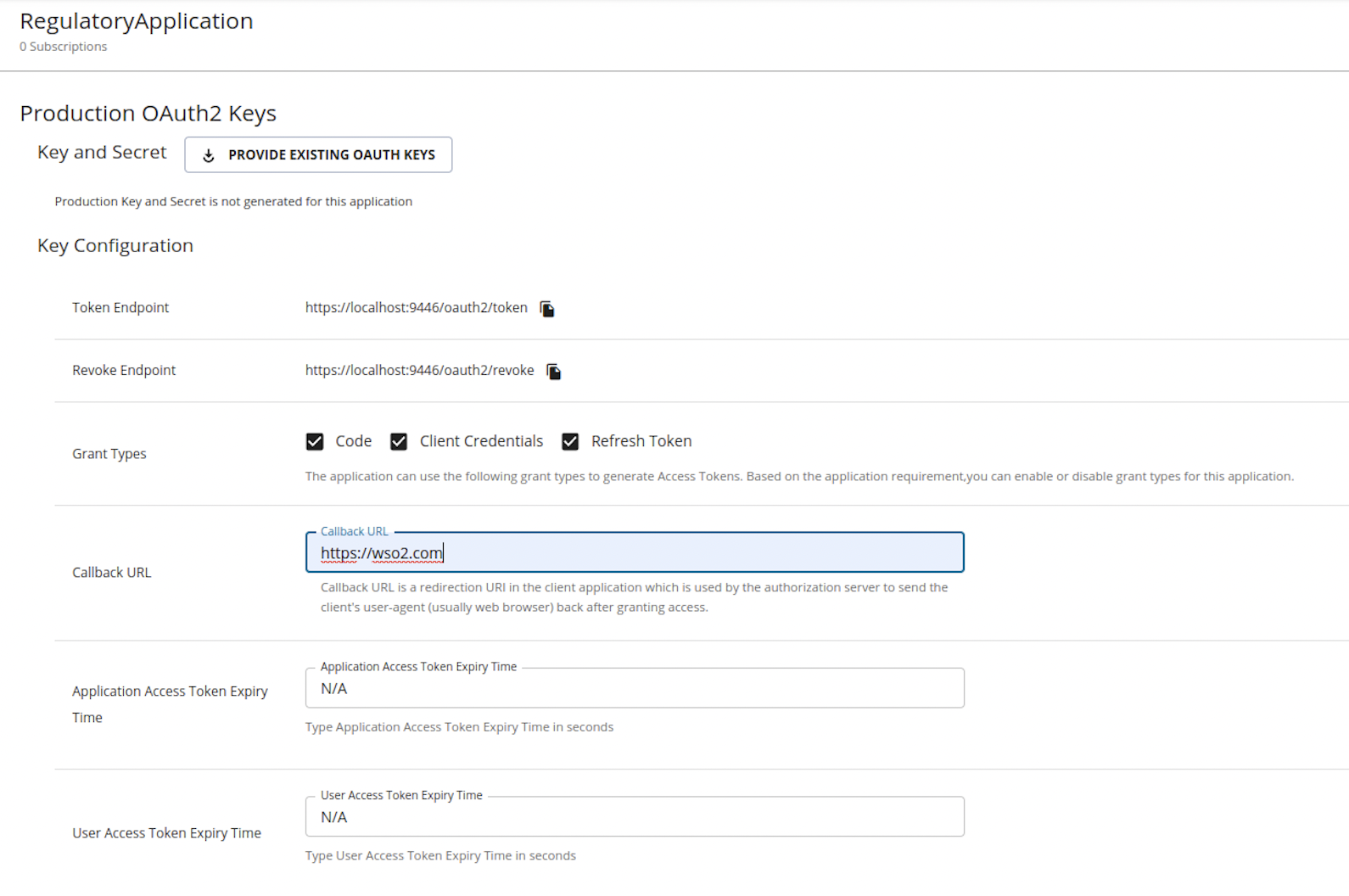
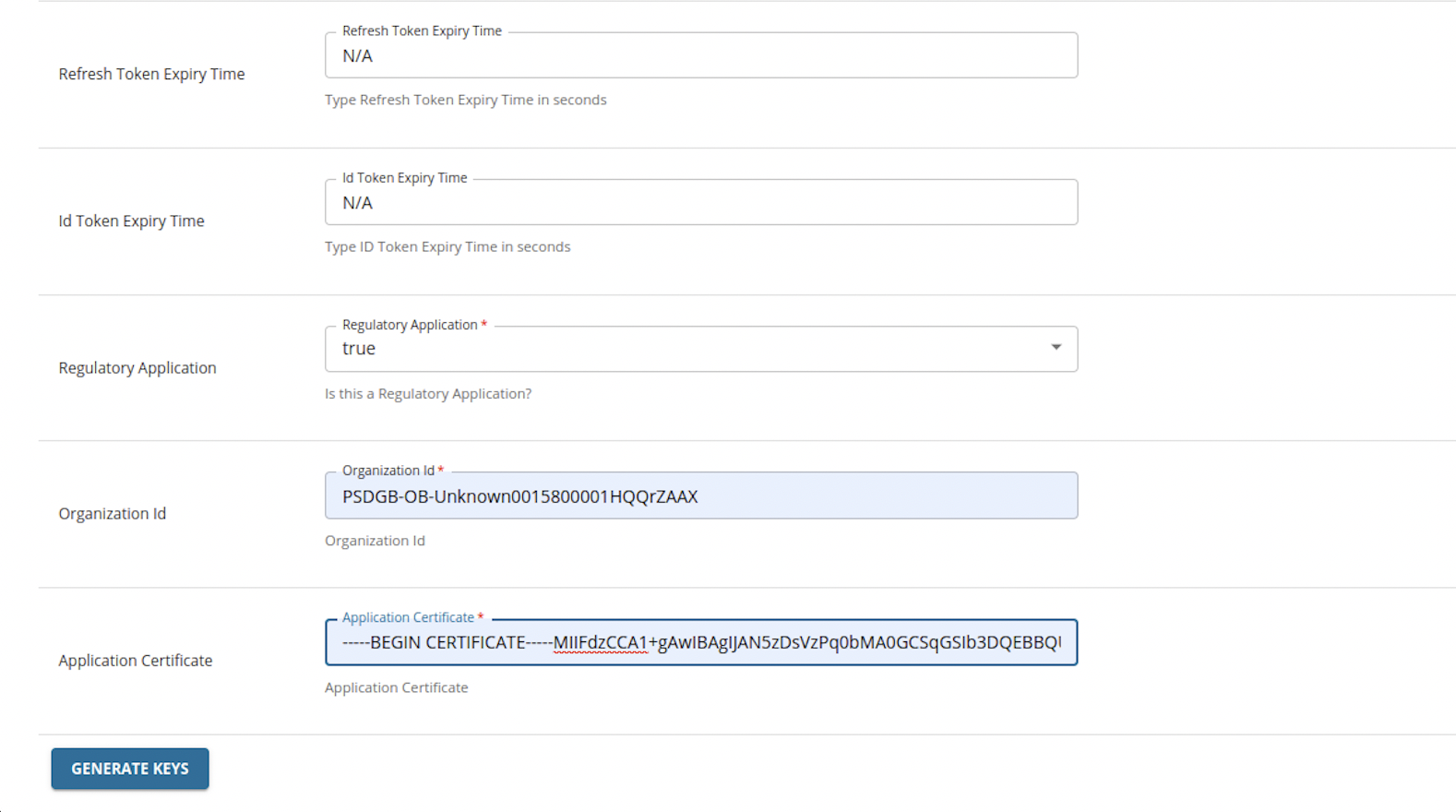
Configuration
Customize Consumer Key Validation
To allow a custom regex when creating a consumer key:
-
Open the
<IS_HOME>/repository/conf/deployment.tomlfile. -
Add the following tags and configure the required regex.
[oauth.client.id.validation]
regex = "^PSD[A-Z]{2}-[A-Z]{2,8}-[a-zA-Z0-9]*$"
Customize Organization Id Validation
By default, the following regex is used to validate the Organization Id:
^PSD[A-Z]{2}-[A-Z]{2,8}-[a-zA-Z0-9]*$You can override the above and use your own regex when validating the Organization Id:
- Open the
<IS_HOME>/repository/conf/deployment.tomlfile. -
Add the following tags and configure the required regex.
[open_banking.berlin.keymanager.org_id_validation]
regex=”<CUSTOM_REGEX>”
Note
The organization Id of an application is used as its consumer key. Therefore, both Consumer Key Validation and Organization Id Validation regexes should be the same.
Configure Additional Application Properties
When onboarding TPP applications via WSO2 API Manager Developer Portal, you can request the TPP for additional application properties.
-
Open the
<APIM_HOME>/repository/conf/deployment.tomlfile. -
Follow the given format and add configurations according to the properties you require:
[[open_banking.keymanager.application.type.attributes]] name="<Name>" - The application property will be saved in SP_METADATA table with this name label="<Lable>" - The UI will show this label type="<input,select>" - Define whether the field is a input field or a dropdown tooltip="<Placeholder>" values="<allowed values>" - If it is a dropdown, add comma separated values to the list default="" - The default selected value required="true" - Whether this is mandatory property mask="false" multiple="false" priority="1"[[open_banking.keymanager.application.type.attributes]] name="REGULATORY" label="Regulatory Application" type="select" tooltip="Is this a Regulatory Application?" values="true,false" default="" required="true" mask="false" multiple="false" priority="1" -
The configured properties will be available to fill in the Developer Portal when creating a TPP application.